 Volition
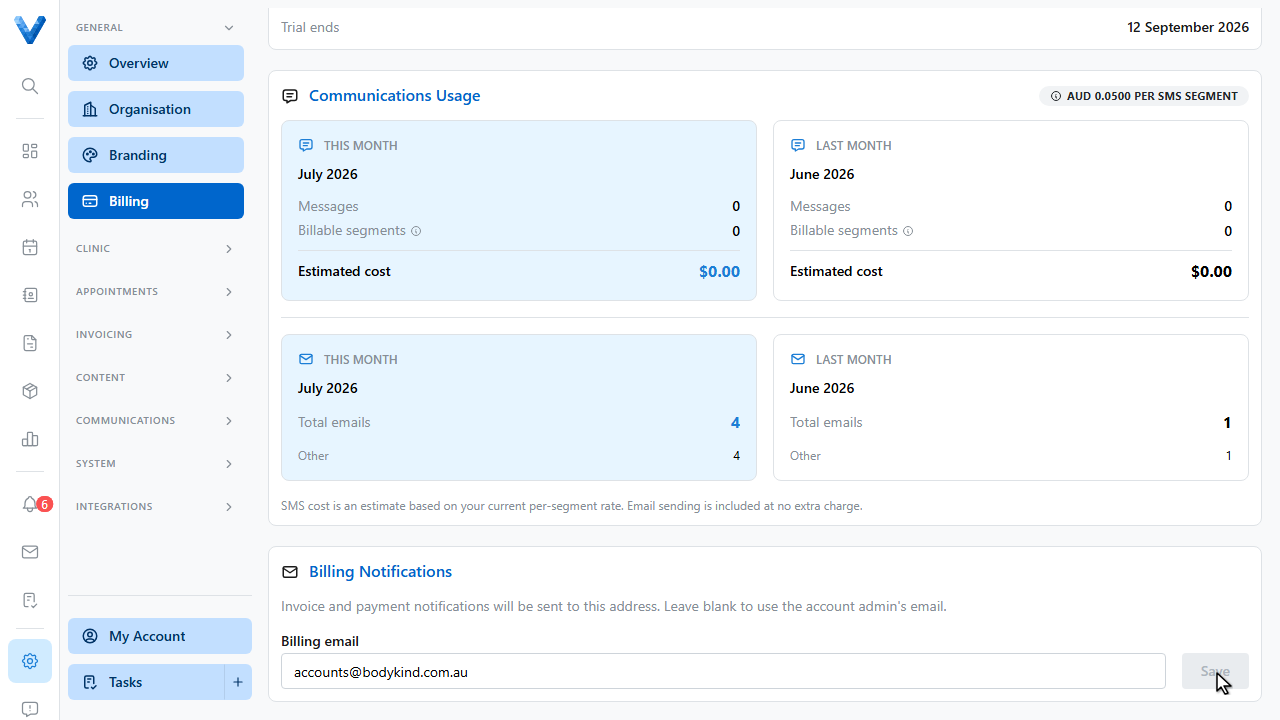
Go to Settings, Billing to see your Volition subscription.
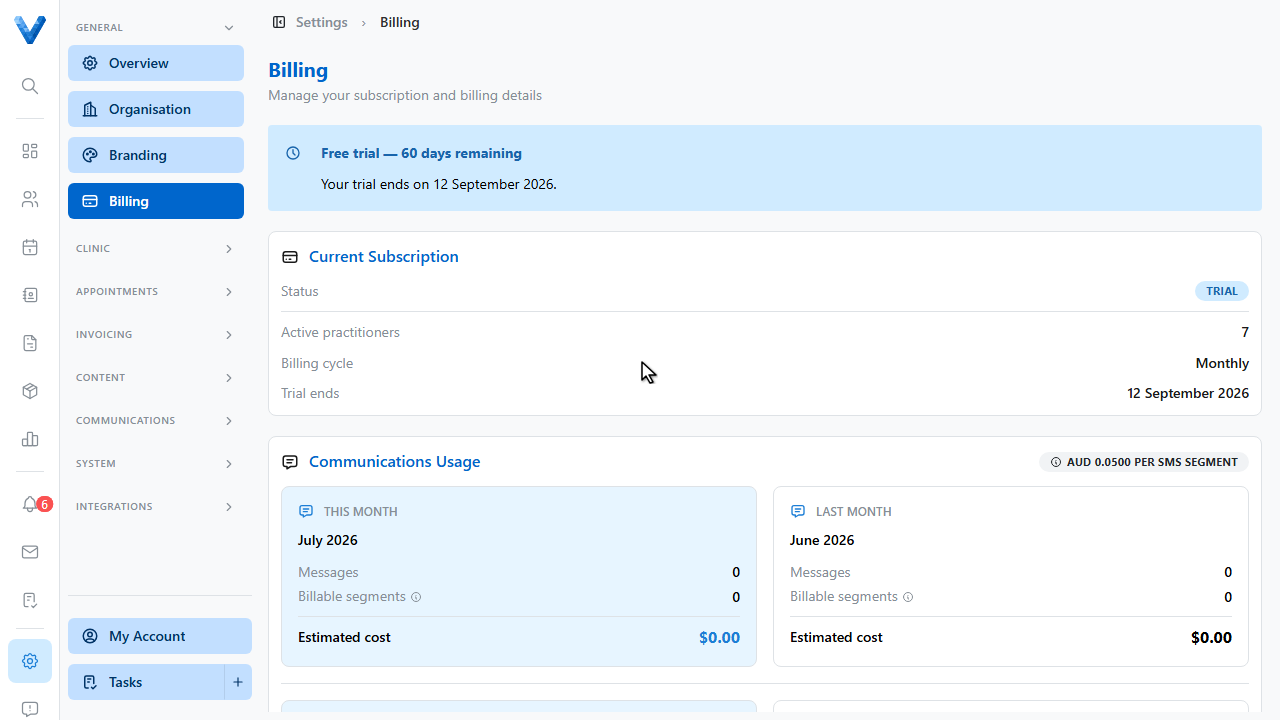
The Current Subscription card shows your status, how many practitioner seats are active, the billing cycle, the current amount, and your next billing date. Seats follow your therapists — adding a practitioner adjusts the subscription automatically.
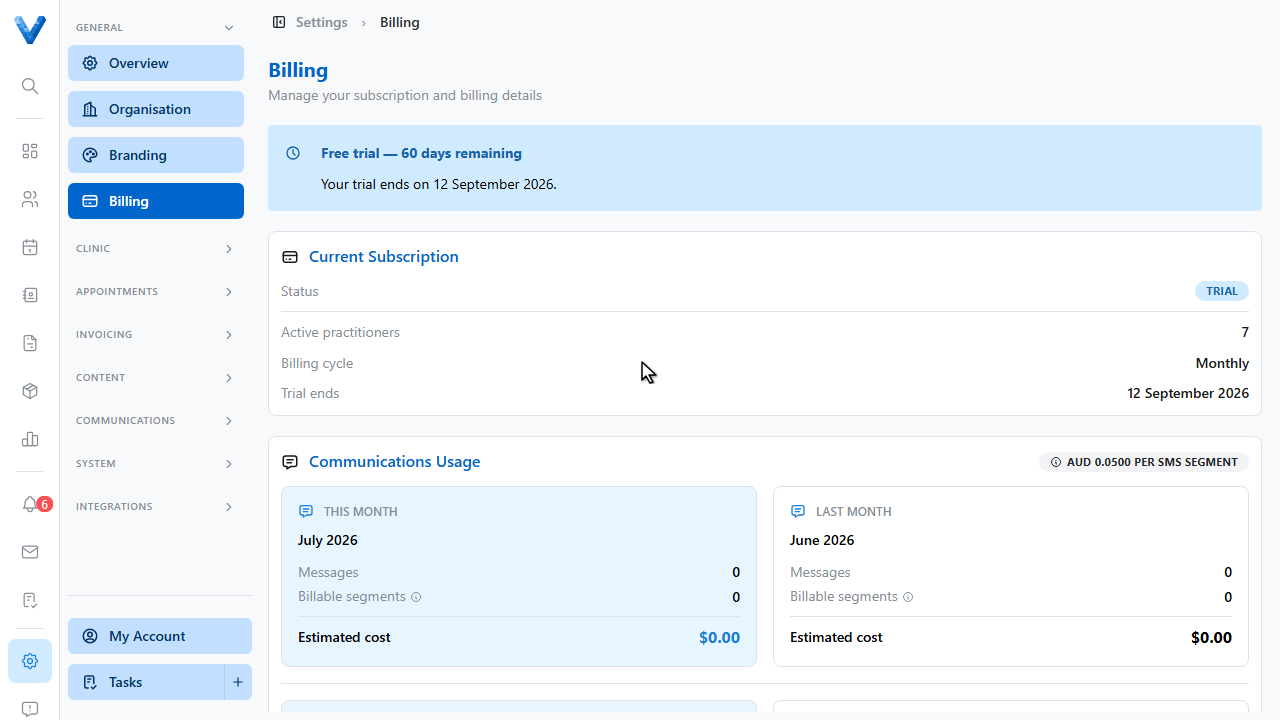
Communications usage — S.M.S. sending — is tracked below, so there are no surprises on the bill.
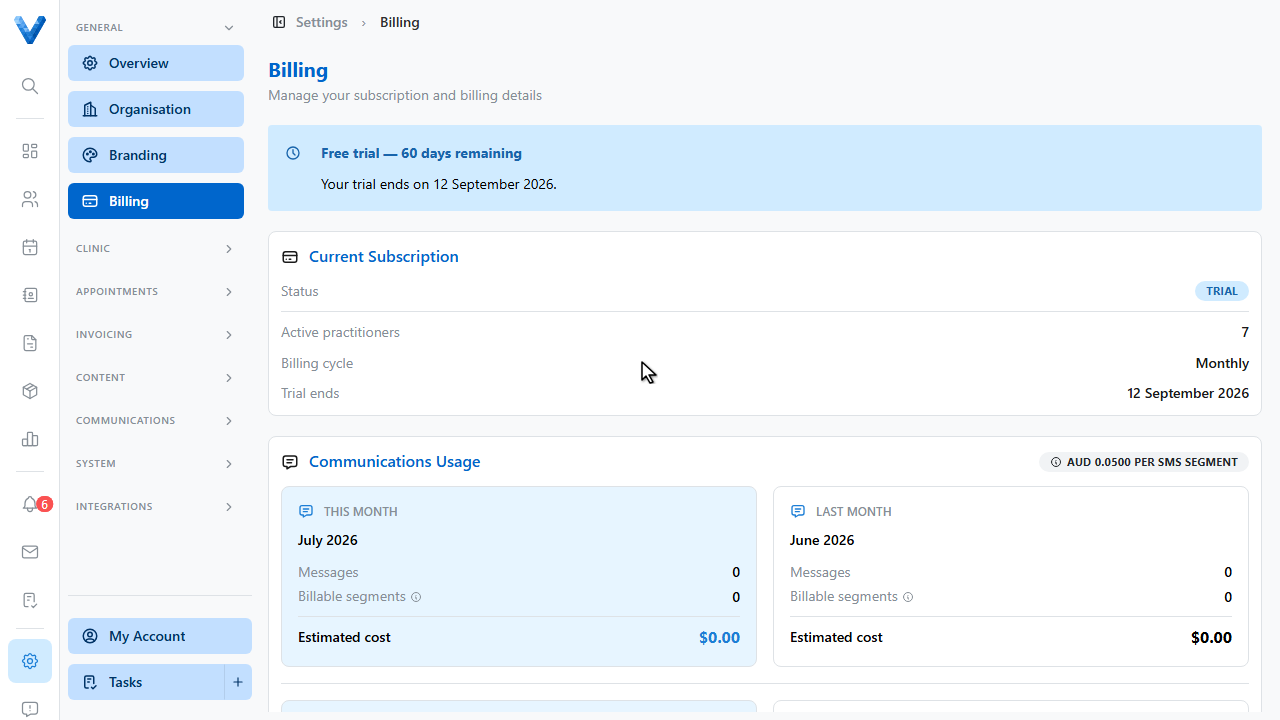
Set the billing email where subscription invoices and receipts are sent.
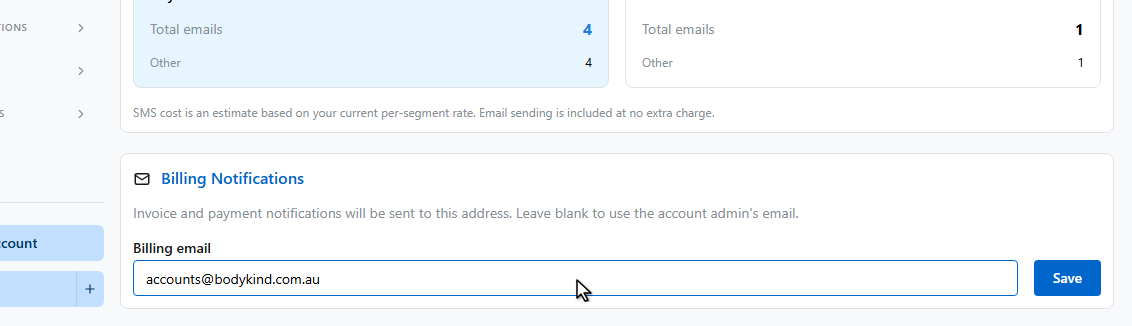
And click Save. Card details and past invoices are managed securely through the Stripe billing portal via Manage billing and payment methods.
That’s everything — plan, seats, usage, and receipts in one place.
Your subscription is priced per active practitioner. Deactivating a practitioner under Settings → Team frees the seat on the next billing cycle.